
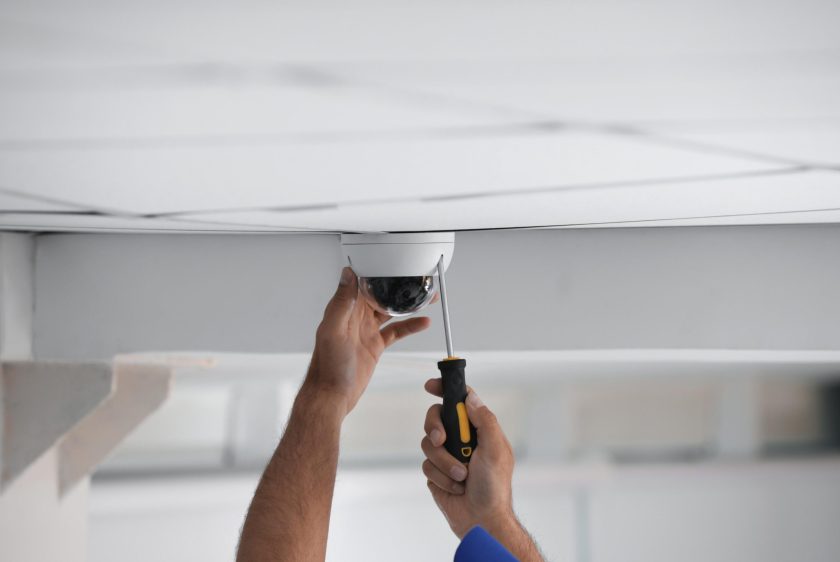
How to Run Cables for CCTV Installation
Messy cables often cause problems during CCTV installation, making it tricky to set up a safe home security system. Effective cable management ensures your security cameras operate smoothly and facilitates future maintenance. This guide will show you easy steps to plan, run, and secure your cables for CCTV wiring. Find out how simple tricks can make the whole process easier—read on!
Key Takeaways
- Proper cable management is essential for a stable CCTV system. Secure all cables using ties or clips, and keep them neat to avoid damage and signal loss.
- Plan cable routes before installation. Avoid sharp bends and keep cables at least 10 cm from framing for safety and better airflow.
- Use the correct tools, such as fish tape, wire strippers, cable testers, and labels. This makes routing easier and helps identify connections quickly.
- Install plenum-rated cables in areas with high air circulation, like ceilings or floors near air ducts. Plenum-rated cables reduce fire risks as required by local building codes and regulations.
- Label each cable clearly for easier future maintenance and troubleshooting of your CCTV system.
Importance of proper cabling in CCTV installation
Proper CCTV wiring keeps your surveillance system stable and dependable. Effective cable management protects network cabling from damage, reduces interference, and facilitates future repairs.
Failure to route or secure cables properly may result in weak signals or power loss for your security cameras.
Secure connections also help prevent tampering with your home security setup. Using the right techniques during installation ensures that each CCTV camera sends a clear video signal to the DVR (Digital Video Recorder).
Tight cabling enhances both indoor and outdoor coverage throughout your entire property.
Tips for Running Cables for CCTV Installation
Plan your cable routes carefully. Choose paths that minimise interference and protect the cables from damage. Use proper management techniques to keep everything organised. Select the right tools to make routing easy and efficient.
Planning cable routes
Planning cable routes for CCTV installation plays a vital role in creating an effective security camera setup. Start by determining where you want to position your cameras. Consider the areas that require surveillance and ensure they have clear views of entry points or vulnerable spots.
Next, map out pathways for running cables. Consider how to connect each camera to the DVR setup without causing interference or damage. Avoid sharp bends in the cable; they can weaken performance.
Use fish tape as a guiding tool when routing cables through walls and ceilings. Proper planning leads to efficient CCTV wiring, ensuring your home security system functions optimally.
Using cable management techniques
Cable management techniques play a vital role in CCTV installation. These methods help keep cables organised and secure. Use cable ties or clips to fasten the wires neatly along walls or ceilings.
This practice prevents tangling and damage. It also creates a tidy appearance, which is crucial for home security.
Consider running network cabling through conduits for added protection, especially in outdoor environments. Label each cable clearly to simplify future maintenance and troubleshooting. Proper management not only enhances the functionality of your surveillance system but also extends the lifespan of your cables.
Appropriate tools for routing cables
Using the right tools makes CCTV installation easier and more efficient. Fish tape is essential for pulling cables through walls or conduits. This tool helps you navigate tight spaces without damaging the wiring.
A cable tester ensures all connections work properly, saving time after installation.
Wire strippers are useful for preparing cables before connecting them to devices. They remove insulation cleanly without cutting into the wire itself. Labels help identify different cables at a glance, preventing confusion during setup and installation.
Proper tools make your security camera installation smoother and more organised, contributing to a reliable surveillance system. Next, explore best practices for securing those cables effectively.
Best Practices for Cable Routing in CCTV Installation
Secure cables tightly to prevent movement. Keep them at least three inches from framing for safety. Use plenum-rated cables in areas with high airflow. Proper planning ensures efficient cabling and enhances the performance of your CCTV system.
Want to learn more?
Securing cables properly
Properly securing cables ensures your CCTV installation remains safe and functional. Use cable ties or clips to fasten network cables along walls or ceilings. Keep cables neat to avoid tangling and damage over time.
Maintain a distance of at least 30 centimetres from electrical wires to prevent interference with the surveillance system.
Check that all connections are tight. Loose connections can lead to signal loss or disruptions in your home security setup. Take time to inspect each segment after installation, ensuring no cables hang loosely or pose a tripping hazard.
Next, consider the proper distance from framing when routing your cables for optimal performance and safety.
Proper distance from framing
Securing cables properly leads to the next important point: maintaining a proper distance from framing. Cables should not be in contact with wooden beams or metal studs. Keeping them at least 10 cm away prevents potential damage and reduces interference.
This distance allows for airflow, which helps in temperature regulation for CCTV wiring.
Cables need protection from sharp edges and heat sources found in framing materials. Use cable protectors where necessary, especially in tight spaces. Always inspect your routes before finalising the installation.
A careful approach safeguards your surveillance system while ensuring reliable performance for home security needs.
Use of plenum-rated cables in certain areas.
Use plenum-rated cables for your CCTV installation in areas with high air circulation to ensure optimal performance. These spaces often include ceilings and under floors where wiring could come into contact with air ducts.
Plenum-rated cables have a special jacket that reduces the amount of smoke and toxic gas released if they catch fire. This feature makes them safer for home security setups.
CCTV wiring must comply with local building codes, especially in commercial properties or densely populated residential areas. Always verify if plenum-rated cables are required to meet safety regulations.
Using these cables ensures that your surveillance system operates reliably while maintaining the highest standards of safety and security.


