
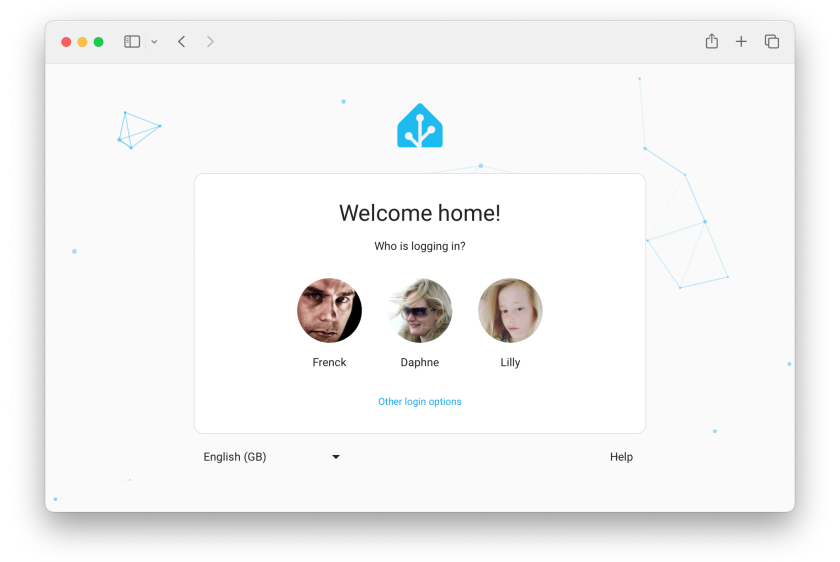
A Step-by-Step Guide for New Home Assistant Users
Starting with home automation can feel confusing for many new users. Over 20 million homes in the UK now use some form of smart devices to make life easier. This user guide will guide you step-by-step through the installation and management of Home Assistant, from setup to smart living.
Read on for clear tips that help you control your home with confidence.
Key Takeaways
- Over 20 million UK homes utilise smart devices to simplify their lives, demonstrating the growing popularity of home automation.
- Home Assistant can run on Raspberry Pi, Windows, Linux, and macOS. Beginners often choose Raspberry Pi for its low cost and small size.
- The setup process involves selecting the right device, installing the necessary software, and ensuring you have adequate Wi-Fi coverage for all your IoT devices.
- The simple graphical interface enables users to easily manage their devices and create custom automations, such as scheduling lights or heating.
- Regular updates and clear organisation of integrations help keep Home Assistant secure and running smoothly as your system grows.
Step 1: Installing Home Assistant
Begin by selecting an installation method that suits your needs. Select the appropriate hardware to ensure seamless performance during setup.
Methods for installation
You have several methods for installing Home Assistant. The platform runs on various operating systems, including Raspberry Pi, Windows, Linux, and macOS. Each option suits different users based on their comfort level with technology and available hardware.
Raspberry Pi remains a popular choice for many beginners due to its affordability and compact design. To install Home Assistant on this device, you will need an SD card and a power supply.
Users can also opt for dedicated devices, such as the Home Assistant Blue, or run it as a virtual machine using software like VirtualBox or VMware. Select the right method that suits your needs to ensure seamless integration of home management with your smart home setup.
Choosing the right hardware
Choosing the right hardware is crucial for a smooth Home Assistant experience. Different components can influence performance and compatibility. For beginners, Raspberry Pi offers an affordable option with enough power for basic tasks.
This compact device is ideal for small homes or simple setups.
For larger systems, consider dedicated servers or powerful PCs to handle increased demands. Ensure your selected hardware supports the necessary connections for smart devices in your home.
Wi-Fi routers should also have good coverage and speed to connect all IoT devices seamlessly. With the proper setup complete, you can move forward with installing Home Assistant effectively.
Initial setup tips and tricks
Install Home Assistant smoothly by following the simple steps. Begin with a stable internet connection. Make sure your device meets the minimum requirements for installation. Choose between running it on Raspberry Pi, a virtual machine, or as a Docker container.
After installation, access the dashboard. Familiarise yourself with the interface. Use clear labels for rooms and devices to simplify management later. Regularly check for updates to ensure optimal performance and security.
Explore integrations that connect your IoT devices seamlessly; this boosts automation and efficiency in your smart home setup.
Step 2: Setting Up Home Assistant
Setting up Home Assistant is straightforward and user-friendly. Explore the graphical interface to easily manage your smart devices and discover helpful features for updates and integrations.
GUI overview
The Home Assistant GUI provides a user-friendly interface for managing smart devices. You can see all your connected IoT devices on the main dashboard. The layout is simple, making it easy to find what you need.
Each section clearly displays relevant information about your home automation setup. You can quickly access various features without feeling overwhelmed.
Customising the interface allows users to create a personalised experience that suits their needs. Integrations with different systems happen effortlessly through this platform. Users benefit from tutorials that guide them in setting up automations and handling updates smoothly.
This straightforward design ensures that new users feel confident as they explore further into Home Assistant’s capabilities, such as integrations and automations.
Updating and managing Home Assistant
After exploring the GUI, focus on updating and managing Home Assistant. Updates keep your system secure and smooth. Check for updates frequently to ensure you have the latest features.
Managing Home Assistant involves more than just updates. Organise your integrations effectively for better performance. Streamline automations to enhance efficiency in your IoT setup.
Regularly review your configuration to avoid issues down the line. Keeping everything orderly can save time and simplify troubleshooting in the future.
Integrations and automations
Updating and managing Home Assistant sets the stage for integrations and automations. Integrations connect your devices to Home Assistant, allowing them to work together seamlessly.
You can easily link smart lights, thermostats, and security cameras.
Automations help you create customised actions based on specific triggers. For example, you can set your lights to turn off automatically when everyone leaves home or schedule the heating to start before you arrive back from work.
Both integrations and automations make your home smarter in a convenient way while enhancing your Internet of Things experience.


